

Deep Coral Raid places members inside a moving coral battlefield with targets and changing rewards. The game is available through AJJILI, using controls suited to desktop and mobile screens. This guide is written for Philippine players who need clear rules, practical steps, and focused methods.
Understanding Deep Coral Raid mechanics at AJJILI
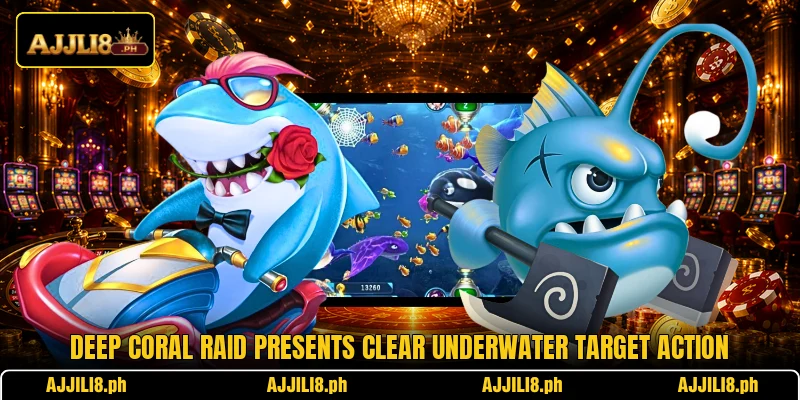
The game uses an underwater screen where creatures travel across several paths. Players select shot strength, track moving targets, and fire at favorable moments. Each successful hit may return a reward based on its displayed value.
Deep Coral Raid keeps the main controls near the lower area for access. Members can adjust firing power before shooting, while balance information stays visible. PHP or USD display depends on account settings and the selected room configuration.
The pace changes when larger targets enter, because movement becomes less predictable. Players should watch route direction before choosing a shot, instead of firing across empty spaces. Clear animations help members identify hits, missed attacks, and completed target events.
Following the main regulations and round structure
Deep Coral Raid follows a direct sequence built around entering, aiming, firing, and collecting results. Every round continues while targets remain active and the available balance supports additional shots.
Entering a suitable game room
Players begin by opening the game lobby and reviewing available room choices. Each room may use different shot values, target speed, or reward ranges. A PHP 10 room can feel different from a USD 0.20 setting.
Members should select the room matching their preferred shot size and screen pace. The chosen level affects how quickly repeated attacks use the available balance. Room details should be checked before pressing the confirmation button.
After entry, the screen loads moving targets, control icons, and current account information. Players can test one low-strength shot to understand response speed and aiming behavior. This first action also confirms that touch or mouse controls work correctly.
Reading objectives and reward values
Every visible target carries a value, role, or event effect within the round. Smaller creatures usually cross quickly, while larger ones may remain longer onscreen. Displayed labels help players compare possible returns before choosing an attack.
Members should read symbols carefully because special targets may trigger added screen actions. Some events can affect nearby creatures, create chained hits, or change firing conditions. The interface normally shows these effects through icons, numbers, or animation cues.
Deep Coral Raid becomes easier to follow when players compare values before speed. A high number may require more accurate timing and several well-placed attacks. Lower values can offer quicker decisions when many small targets cross together.
Deep Coral Raid shooting controls
The main firing control launches each selected shot toward the current aiming point. Players can move the sight before firing, then adjust strength between attempts. Rapid firing may also appear, depending on room and device layout.
Automatic fire should be used only when a target path stays stable onscreen. Manual shots provide better control when creatures change direction or leave the visible area. Switching methods quickly helps members respond to crowded or quiet moments.
Power controls usually increase or reduce the PHP or USD cost per shot. Higher power raises attack pressure but uses balance faster. Players should confirm the displayed amount whenever changing levels during active play.
View more: Aqua Fish Battle – Ocean Shooting Action With Bonuses
Completing strikes and receiving results
A target disappears after the game confirms enough successful attack impact. The screen then displays the credited result through numbers, effects, or balance updates. Missed shots produce no target return and still use the selected shot amount.
Members should wait for confirmation before assuming a target is complete. Overlapping animations can hide final results when several creatures are hit together. Watching the balance indicator gives a clearer record of credited outcomes.
Deep Coral Raid calculates each completed action through the game system rather than player judgment. Results appear after processing, although animation length varies between events. Players can continue firing once the next target route becomes clear.

Applying practical methods throughout active play
Deep Coral Raid rewards careful screen reading more than random shooting across every visible area. The strongest methods focus on route timing, target grouping, and controlled power changes.
Tracking movement prior to each shot
Players should observe a target briefly before placing the next shot. Many creatures follow curved routes, making their future position easier to estimate. Aiming slightly ahead can reduce misses caused by screen movement.
Members can use coral edges or fixed background objects as simple visual markers. These reference points help compare target speed without relying on quick guesswork. Repeated routes also become easier to recognize after several active screens.
When two targets overlap, players should prioritize the one with the clearer direction. Crossing paths can cause shots to follow an unintended creature or empty space. Waiting one moment often creates a cleaner angle and better visual confirmation.
Adjusting force for target groups
Low firing power suits small targets that appear close to the aiming area. It keeps each attempt at a lower PHP or USD amount. This setting also allows more corrections when the first shot misses its route.
Medium power works better when several targets move through the same narrow section. Grouped creatures create more useful aiming opportunities without constant sight movement. Players should still confirm which target receives the main attack pressure.
Deep Coral Raid may present larger creatures that remain available for multiple firing attempts. Higher power should be reserved for clear routes and stable onscreen time. Increasing strength during a disappearing target can waste several expensive attacks.
Using special occasions with timing
Special events often appear through bright symbols, marked creatures, or temporary screen changes. Players should read the event cue before immediately increasing firing speed. A brief delay can reveal whether the effect covers one target or several.
When an event influences nearby creatures, aim toward the densest visible group first. This approach gives the triggered effect more relevant targets within its active area. Empty sections provide fewer chances for connected results or additional impact.
Members should return to normal firing after the event animation finishes completely. Deep Coral Raid may change target routes once a special sequence ends. Resetting the sight prevents repeated shots from following an outdated screen pattern.

View more Category: Fish
Conclusion
Deep Coral Raid offers structured underwater play through readable targets, adjustable shots, and changing screen events. Members can access the game through AJJILI and review PHP or USD settings before entry. Register, download the app, open the game room, and enjoy each round with good luck.